 All stories
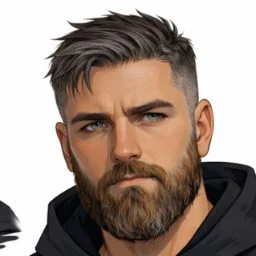

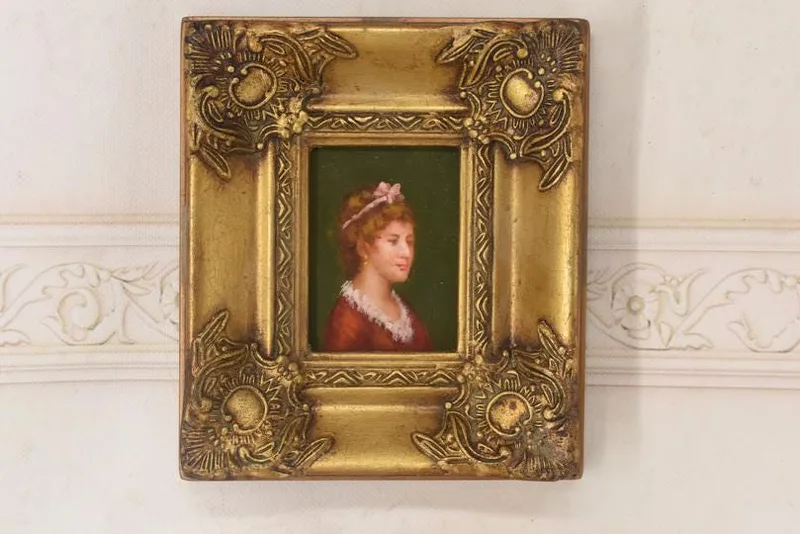
Here is an unpopular truth from a desk that reads custom-art orders all day: the reference photo shapes the result more than the choice of artist does. A skilled artist working from a sharp, well-lit photo produces something the family keeps forever. The same artist working from a dim screenshot produces a technically competent picture of a stranger. Buyers spend an hour comparing styles and thirty seconds picking the photo — and the photo is where likeness lives.
The reason is simple: an artist can only draw what they can see. Style, background, clothing color, even combining people from separate pictures — all negotiable. But the fine geometry of a face, the exact set of the eyes, the specific smile that makes your mother your mother — that information either exists in the pixels or it does not, and no brief can supply what the photo withholds. This guide is about sending pixels worth drawing.
The Short Answer
Send the original, full-resolution photo — never a screenshot, never an image pulled back off social media. Choose one where the face is large in the frame, the eyes are in sharp focus, and the light is soft and even, like window light. Avoid heavy filters, sunglasses, and harsh shadows. For groups and pets, one good photo per subject beats one mediocre photo of everyone. When torn between two, pick the photo where the person looks most like themselves on an ordinary good day.
Sharpness and Size: What the Artist Can Actually See
Every send-and-share step quietly destroys detail. Messaging apps compress aggressively; social platforms downscale on upload; a screenshot of a photo captures your screen, not the image. By the third hop, the face that looked fine on your phone is a soft mosaic at drawing magnification — and artists work zoomed far past what you see in a chat bubble.
The fix costs nothing: go back to the source. Send the original file from the phone that took it, using the "original quality" or "send as document/file" option, or share through a cloud link that preserves full resolution. If the photo lives on someone else's phone, have them send the original to you the same way.
Then check size, not just sharpness. A group photo where each face is smaller than a fingernail contains almost no drawable facial information no matter how many megapixels the whole file has. Crop mentally to just the head: if that region alone looks crisp when you zoom in — eyelashes distinguishable, catchlights visible in the eyes — it will draw well. If it dissolves into smudge, keep looking.
Light Decides Whether It Looks Like Them
Likeness is mostly light. Soft, even, directional light — a person facing a big window is the everyday gold standard — reveals the true shape of a face. The common failure modes all hide that shape: strong backlight (subject in front of a bright window or sunset) turns the face into a murky silhouette; harsh overhead midday sun digs dark shadows into the eye sockets; colored party or restaurant lighting shifts skin tones the artist then has to guess back to reality.
Filters and beauty modes are a subtler version of the same problem. A smoothing filter erases the exact texture and small asymmetries that make a face recognizable, and an artist who faithfully draws the filtered face produces a portrait of the filter. Send the unfiltered original, even if you like it less — the artist is drawing a person, not a post.
Groups, Composites, and the Photos That Do Not Exist
Some of the best custom pieces come from photos that were never taken. Grandparents and grandchildren who live an ocean apart, a couple's first pets alongside their current one, four siblings who have not stood in one room in years — artists routinely build a single scene from separate reference photos. This is standard practice for family caricatures and group portraits, and it changes your job as the buyer: instead of hunting for one perfect group shot, supply one strong photo per person.
Two things make composites succeed. First, roughly compatible lighting — faces all lit softly from a similar direction knit together believably, while one beach photo and one dim kitchen photo fight each other. Second, a clear note in your brief about arrangement and relative height, since the artist cannot infer that Grandpa is six-foot-three from separate headshots. When you order caricatures or portraits on JediPic, that brief travels with the photos, and the proof stage exists precisely so you can course-correct the arrangement before the final piece.
Pets and Old Prints: The Hard Cases
Pets: get down to their eye level — the classic standing shot looking down at a foreshortened dog is the single most common weak pet reference. Shoot at the pet's height, in daylight, close enough that the eyes and fur texture are sharp, and use burst mode because animals hold poses for half a second. A treat held just above the lens buys you an alert, forward-facing expression. For pet portraits, the eyes carry nearly all the personality, so judge candidate photos on the eyes first.
Old prints: for memorial pieces and milestone anniversaries, the only photo that matters may be forty years old. Do not photograph a print casually — flash glare and keystone distortion ruin it. Instead, scan it flat at high resolution, or photograph it square-on in bright indirect daylight with no flash, filling the frame. Small scratches, creases, and faded color are fixable in the artwork; a blurry or tiny face is not — the can-fix versus cannot-fix line always runs through detail.
What to Look For (and What to Skip)
Look for:
- Eyes in sharp focus, with visible catchlights.
- The face filling a generous share of the frame, or croppable to that.
- Soft, even light on the face — window light, open shade, overcast daylight.
- A natural expression the person actually makes, not a posed grimace.
- The original file, at original resolution, from the original device.
Skip:
- Screenshots, and images re-downloaded from social media or old chat threads.
- Beauty filters, smoothing apps, and heavy color grading.
- Sunglasses, low hat brims, and hair fully covering one eye — artists cannot invent what is hidden.
- Backlit shots where the face sits in shadow.
- Group photos where each face is tiny, offered as the only reference.
Mistakes People Make
- Sending the photo through a compressing app. Fix: use original-quality sending or a cloud link; the file should be megabytes, not kilobytes.
- Choosing the flattering photo over the accurate one. Fix: pick the image where the person looks like themselves on a good ordinary day — that is the face the recipient's family wants on the wall.
- Providing one photo when the piece involves several subjects. Fix: one clear, similarly lit photo per person or pet, plus a short note on arrangement.
- Leaving the brief empty. The photo says what people look like, not what matters. Fix: two sentences on who this is and any detail to include — a hobby, a jersey number, the dog's crooked ear — as you would for any custom art order.
- Skimming the proof. The proof stage is the moment fixes are cheap. Fix: check likeness, spelling of any names, and details against your brief before approving.
Can an artist work from a blurry photo?
Only partially. An artist can sharpen intent — clean lines, confident shapes — but cannot recover facial detail that the photo never captured, so a blurry reference yields an approximate likeness at best. Zoom in on the face: if the eyes are smudged at 100 percent, choose another photo. A sharp older photo is usually a better reference than a blurry recent one; mention any changes, like new glasses, in the brief.
Can two photos be combined into one portrait?
Yes — this is routine, and it is how portraits get made of people or pets who were never photographed together. Provide one strong reference per subject, ideally with similar soft lighting, and tell the artist how to arrange everyone, including relative heights. Expect the composition to be the artist's synthesis rather than a literal cut-and-paste, and use the proof stage to adjust positioning before the final version.
What makes a good reference photo for a pet portrait?
Eye-level, daylight, and close. Shoot at the animal's height so the proportions read true, in bright indirect light so fur texture and eye color are visible, near enough that the eyes are tack sharp. Burst mode multiplies your odds, and a treat above the lens gets an alert expression. Avoid flash, which flattens fur and produces eerie eyes, and skip shots taken from above.
Do phone photos work for custom portraits?
Yes — modern phone photos are more than sufficient, and most orders are drawn from them. The failures come from transmission, not capture: screenshots, compressed forwards, and social-media downloads strip the detail the camera recorded. Send the original file at original quality, confirm the received file is still large, and a routine phone snapshot by a window will outperform a professional photo that has been through five chat threads.
Reviews & comments
See every public review for this Journal story and leave your own note.